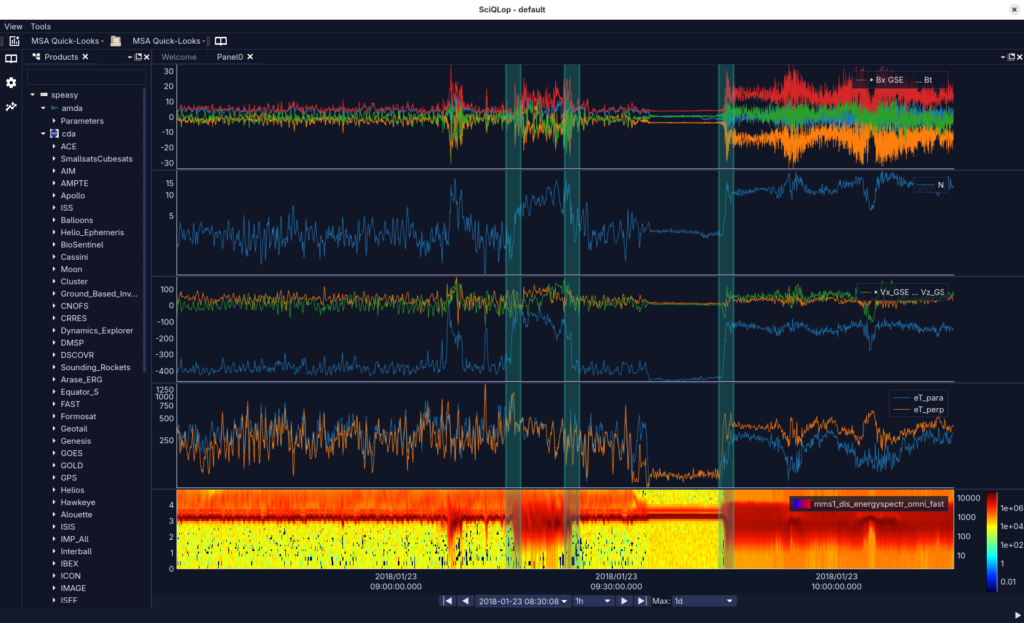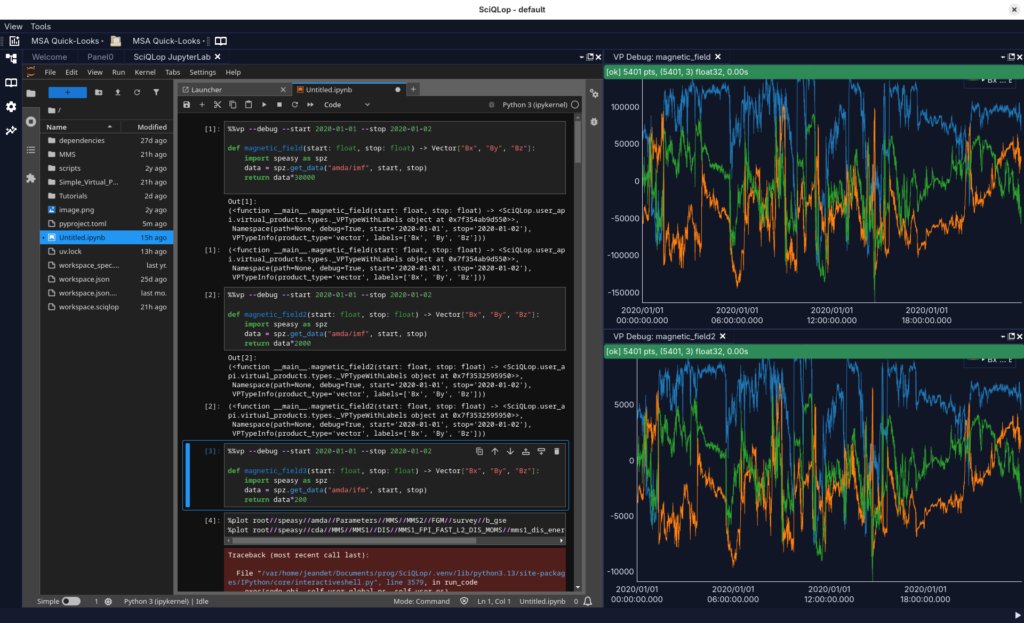
We are pleased to announce the release of SciQLop v0.11, a new major version of the desktop application dedicated to the interactive exploration and labelling of in-situ space plasma time series. SciQLop (Scientific Qt application for Learning from Observations of Plasmas) is developed at the CDPP (Centre de Données de la Physique des Plasmas) and offers a rich graphical interface together with an embedded JupyterLab. It integrates natively with the speasy data access library, also a CDPP tool, to bring multi-mission data (MMS, Cluster, THEMIS, Parker Solar Probe, Solar Orbiter, BepiColombo, and many others) at your fingertips.
This release brings several highlights of interest to the space physics community:
- Redesigned event catalogs: a new catalog browser with color-coded overlays on plots, folder organisation, and quick navigation from an event to the corresponding time interval. Catalogs can now also be created and edited directly from JupyterLab notebooks.
- Collaborative catalogs: multiple scientists can now co-edit the same event catalog in real time, making it easier to build shared event lists during campaigns, working groups, or collaborative studies.
- Tighter Speasy integration: Speasy inventories and timetables are directly available as browsable catalogs in SciQLop, and
speasy.plot()now renders its output straight into SciQLop panels. - Virtual products: define derived quantities (e.g. a plasma beta, a rotated field, a custom moment) on the fly from a notebook and see them plotted alongside the original data.
- Redesigned welcome page and plugin App Store for easier discovery of examples, workspaces and community plugins.
- Isolated workspaces: each analysis project gets its own self-contained environment, making it easy to share a reproducible setup with collaborators.
- Command palette (Ctrl+K) to quickly find any action or plot any product from the keyboard, and a new dark theme.
SciQLop is free and open-source, and available for Linux, Windows and macOS. More information, installers and documentation can be found on GitHub.
Feedback, bug reports and feature suggestions are very welcome.
(Transmis par Alexis Jeandet)